










Ad IntelligenceLive

Ask anything. Make anything. Launch with a yes.

Ad Intelligence is the AI layer of Additor. It reads your Meta and TikTok accounts, your media library and your measurement data, then answers, creates and launches on command, and waits for your approval before anything spends.

C CalmoraMonoline Group
Overview Platforms Campaigns Media library Team Ad Intelligence Anomalies3 Settings
Organization
Dashboard Workspaces Creative performance Members Audit log Integrations
Elif Kaya OWNERelif@monoline.co
Calmora/Ad Intelligence
Search or ask Ad Intelligence⌘K
New chat Search chats Previous 30 days
Best ROAS video this week Localize CLM0544 for Spain Spring concepts for the US Why did CPA rise on Tuesday? Weekly spend summary
Chat settings
Best ROAS video this week4 messages
3 skills
Which video had the best ROAS on Meta last week?
Used 7 tools · Meta MCP · Creative performance · Adjust

EN_CLM0544_VT led the account: 3.28× ROAS on $4,120 spend, with a 41% hook rate. Its hold rate is still climbing, with no sign of fatigue yet.

EN_CLM0544_VT.mp4
9:16ENMeta · Reels
ROAS
3.28×
Hook rate
41%
CPA
$11.40
Make three new hooks for TikTok, in English and Spanish.
Used 5 tools · Creative Agent · Media library

Done: three hooks in English and Spanish, 9:16 with captions and voice-over. The promise stays the same; only the opening changes.

Still scrolling at 2am?EN · ES
Your brain won’t switch off?EN · ES
Asleep before the next episode.EN · ES
Launch as a test campaignWaiting for your approval
Platform
TikTok
Budget
$150 / day · 3 days
Structure
2 ad sets · 6 ads
Languages
EN and ES
TT_CLM_US_EN-ES_SALES_HOOKTEST_20102026
Approve and launch Edit plan
FILESEN_CLM0544_VT.mp4
SKILLSweekly-spend-review
PLATFORMSTikTok↵
Launch the approved hooks on @TikTok
Model · Default

What you can ask

Questions in. Answers and actions out.

Ask the way you’d ask a teammate. Ad Intelligence pulls the numbers, does the work and shows you what it used, for analysis, creative, launches and reporting.

  • Analyze

    Answers about any campaign, creative or market, with the numbers behind them.

    • Which TikTok creatives are losing hold rate this week?
    • Why did CPA rise on Tuesday in Voyy?
    • Compare hook rates for the EN and ES versions of CLM0544.
  • Create

    New hooks, languages, formats and concepts, built from what already works.

    • Make three hooks for our best video, in English and Spanish.
    • Turn this trending format into an ad for our headphones.
    • Make this creative vertical and translate it to German.
  • Launch

    Campaigns built, copied and paused for you. Anything that affects spend waits for a yes.

    • Launch the approved variants as a TikTok test at $150 a day.
    • Duplicate last week’s winning campaign for the UK.
    • Pause the ads with CPA above $40 since Monday.
  • Report

    Summaries and leaderboards on demand, or on a schedule you set in chat.

    • Every Monday at 9:00, summarise last week’s spend by workspace.
    • Put this month’s creative leaderboard in our Google Sheet.
    • Which motion designer had the most winners in October?

Type@to point it at a specific file, skill or platform.

Context

It sees what your team sees.

Every workspace gives Ad Intelligence the context your team works with: ad accounts, creatives, results and the files you connect. It acts through the same tools, and shows each step it took.

Reads from

9 sources
  • Meta MCP
  • TikTok MCP
  • Media library
  • Creative performance
  • Anomalies
  • AppsFlyer
  • Adjust
  • Google Drive
  • Google Sheets

Meta and TikTok through MCP, Additor’s own modules, your measurement partner (AppsFlyer or Adjust) and the documents you connect.

Ad Intelligence

Acts through

4 kinds of output
  • Answers with the numbersSpend, ROAS, hook rate and CPA, plus the tools it used to get them.
  • New creatives and versionsHooks, languages, formats and new concepts, saved to the media library.
  • Campaign drafts and launchesNamed to your convention and launched after your approval.
  • Scheduled reportsRecurring summaries, written back to the thread or to Google Sheets.

Every tool call is listed in the thread, so you can check what an answer was built on.

Creative Agent

From one winner to a whole test plan.

Three ways to make the next creative. Each one lands in your media library with its own code, ready for every placement, and traceable to what it was made from.

01Version a winner

Keep the promise. Change the opening.

Point it at a winner and it keeps what works (the message, the offer, the edit) while it tests new hooks, presenters and formats against the original.

  • New hooks in every language you run
  • 9:16 with captions and voice-over
  • Saved to the media library with their own codes
# CLM0544Calmora · Bedtime scroll
6 versions · EN and ES
WINNEREN
ROAS3.28×
Hook rate41%
Still scrolling at 2am?ENCLM0601
Your brain won’t switch off?ENCLM0602
Asleep before the next episode.ENCLM0603
¿Sigues despierto a las 2?ESCLM0601
¿Tu mente no se apaga?ESCLM0602
Dormido antes del próximo capítulo.ESCLM0603
9:16 · captions and voice-over · saved as CLM0601–CLM0603 Ready for review

02Create from a brief

Start from a brief, not a blank page.

Describe the idea in plain words, @-mention your product shots or brand kit, and get on-brand concepts rendered from your own products, faces and references.

  • Briefs in plain language, with @-mentioned files
  • Rendered from your own products and references
  • Each concept gets its own code and placements
Concepts from briefs 3 new concepts
BRIEF
Autumn launch for our over-ear headphones. Warm, minimal, product first.
@product shots
NEW CONCEPT
BRIEF
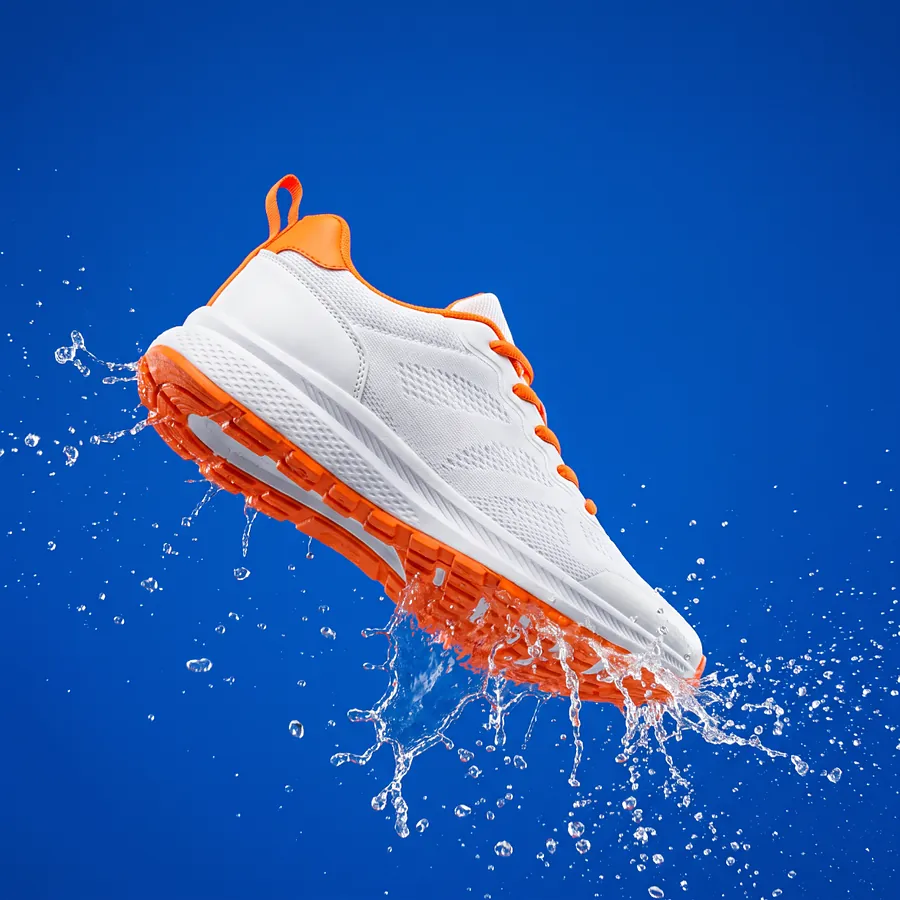
Spring drop for the new runner. One bold color, clean studio light.
@brand kit
NEW CONCEPT
BRIEF
Slow-morning cold brew. Soft daylight, tall glass, nothing else in frame.
@references
NEW CONCEPT

03Turn a trend into an ad

Catch the trend while it’s still rising.

Share a format that’s taking off and it remakes the idea with your product, keeping the same rhythm and energy in your own brand, so you can test it while the moment lasts.

  • Keeps the pacing and structure of the original
  • Puts your product in the frame
  • Lands in review, never straight to live
TRENDING
Jump-cut format
YOUR PRODUCT
Same rhythm · 9:16
  1. SpottedA jump-cut format taking off09:12
  2. RemadeSame rhythm, with your headphones09:38
  3. Ready for reviewSaved to the library, not live09:40

Skills

Teach it how your team works.

A skill is a SKILL.md file that describes how your team does a job, the steps, the checks, the format. Add it once and every chat can use it.

  • Import or write

    Bring a SKILL.md in from a URL or a folder, or write one from scratch in Additor.

  • Private guidance

    Your own skills stay private, alongside the shared platform skills.

  • Called by name

    @-mention a skill in the composer and the answer follows it, step by step.

  • Custom connections

    Add Google Drive, Google Sheets, AppsFlyer or your own integrations as context.

weekly-spend-review/SKILL.mdPrivate
1---
2name: weekly-spend-review
3description: Summarise last week’s spend and flag tiring creatives.
4---
5
6## Steps
71. Pull last week’s spend, ROAS and CPA by workspace.
82. Flag creatives whose hold rate fell more than 20%.
93. Post the summary with links to the creatives.
Your skills3 · private
weekly-spend-review
ugc-brief-writer
naming-check
From URL From folder Write a skill
Shared platform skills2
creative-analysisBreaks down what a creative shows and how it performs.
campaign-setupBuilds campaigns to your structure and naming rules.

Scheduled jobs

Recurring work, on its own schedule.

Ask for it in chat (“every Monday at 9:00, summarise last week’s spend”) and it becomes a job. It runs on its own and writes each result back into its conversation, so the history stays in one thread.

  • Set up in plain language, from any chat
  • Runs on its own, daily, weekly or monthly
  • Results land back in the same conversation
  • Keeps a connected Google Sheet up to date
Scheduled jobs3 active
Weekly spend summaryEvery Monday · 09:00Ran today, 09:00
Fatigue check on TikTok creativesEvery day · 08:30Ran 08:30 · 2 flagged
Creative leaderboard to Google Sheets1st of each month · 07:00Next run Nov 1
Weekly spend summaryMon 19 Oct · 09:00
Skill · weekly-spend-review · 6 tools

Last week: $184,920 spend at 2.57× ROAS. Petalé improved most; Voyy slipped.

WORKSPACESPENDROASVS PRIOR
CCalmora$62,8702.84×+6%
VVoyy$49,9302.31×−4%
KKinetiq$40,6802.12×+2%
PPetalé$31,4403.05×+11%
2 creatives flagged: hold rate down more than 20% KNT0423 VOY2213

Control

Powerful, on a short leash.

Admins choose the models it uses and the rules it writes by. People approve anything that spends. And everything it does is on the record.

Approval before spend

Launches, budget changes and anything else that spends wait for a person to say yes, right in the thread, with the whole plan in view.

Duplicate for the UKWaiting for your approval
Platform
Meta
Budget
$300 / day
Structure
3 ad sets · 6 ads
META_CLM_UK_EN_SALES_HOOKTEST_20102026
Approve and launch Edit plan

Models your admins choose

Admins add the models Ad Intelligence can use and set the default. Everyone else picks from that list in the composer.

BalancedEveryday questions and ad copyDefault
FastQuick lookups and short answers
Deep reasoningLong analysis and planning
Add a model

Prompt rules

AI text templates set how it writes: primary text, title and description for Meta; ad text for TikTok, up to 100 characters with no emoji. Test a change, then publish it, for one workspace or all of them.

Meta ad copyTikTok ad text
Draft · not published
Write one line of TikTok ad text.
Up to 100 characters. No emoji.
Lead with the benefit, in our voice.
Fall asleep faster tonight, no counting sheep.47 / 100 · no emoji
All workspacesThis workspace
TestPublish

AI usage you can see

The organization dashboard shows AI cost, runs and tokens by workspace, across image variants, ad copy, analysis and the assistant.

AI cost · 7 days
$412.80
Runs
1,284
Tokens
21.4M
MONTUEWEDTHUFRISATSUN
CalmoraVoyyKinetiqPetalé

Every action, by a person or by Ad Intelligence, is written to the audit log.See roles and audit

IN BETA

Next: Scale AI

Ad Intelligence acts when you ask. Scale AI runs the loop on its own, discovering, creating, testing and scaling within the rules each project sets.

Explore Scale AI

One workspace

Media libraryEvery version Ad Intelligence makes lands here, coded, resized and ready for each platform.Explore Campaign managementApproved plans become real campaigns, named to your convention and published together.Explore Creative reportingThe numbers behind its answers, spend, hook rate, ROAS and MMP data for every creative.Explore

Ask your first question today.

Connect Meta or TikTok and Ad Intelligence starts with what’s already in your accounts.

Get started

Works with the Meta and TikTok accounts you already own. Nothing to migrate.